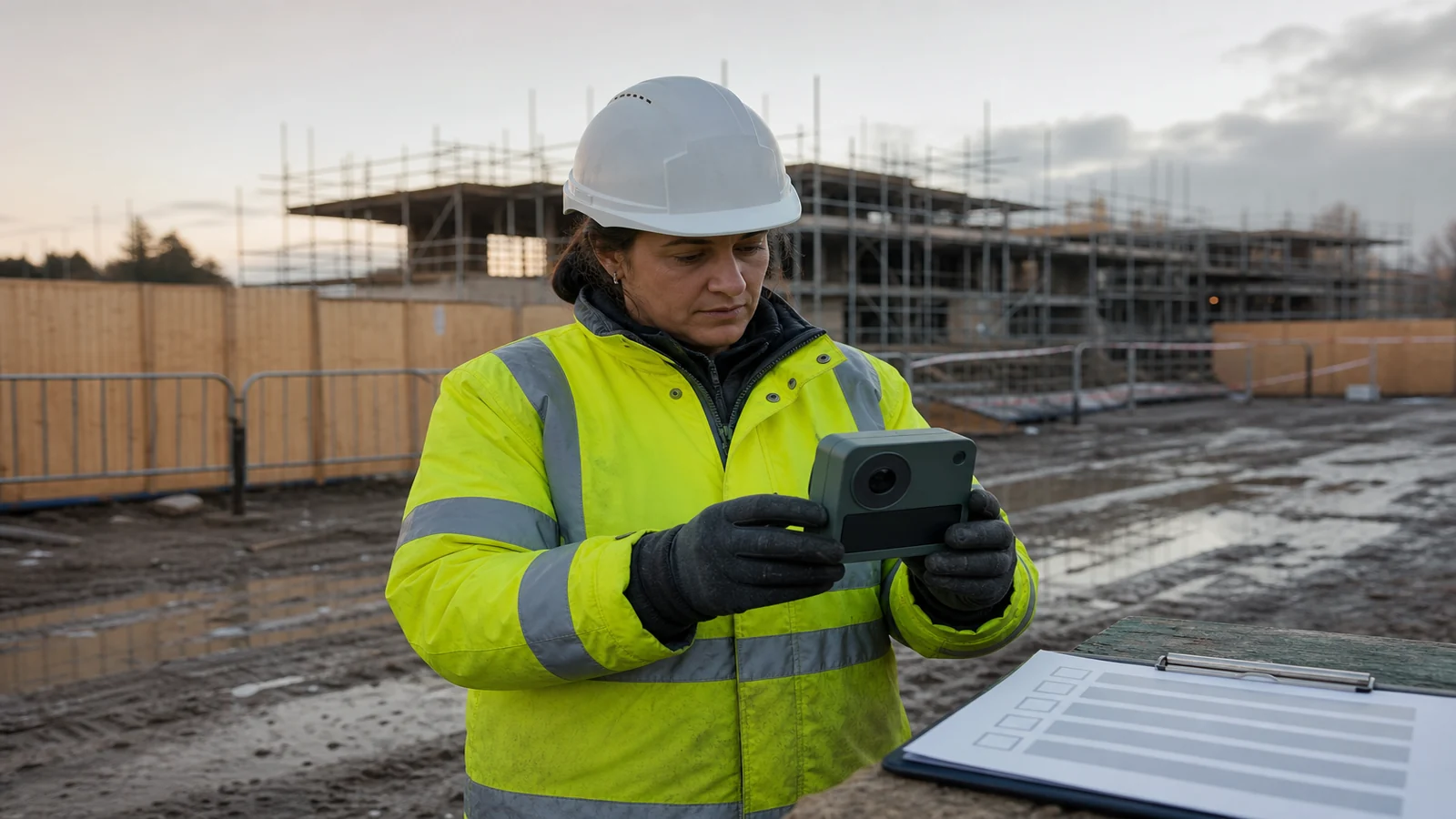
Time Lapse Camera Pre Start Checklist Building Site: A UK Pre-Start Routine
Agree purpose, ownership, a safe viewpoint, a short capture test, and privacy and access controls before a time-lapse camera is treated as ready for the first working day. The go or no-go checklist on this page is a written record for the site manager. It is not a substitute for a site-specific risk assessment, a method statement, or the construction phase plan.
A progress camera is easy to treat as a small add-on. On a live building site it is still an item of plant, a data store, and a viewpoint that other trades will walk past. If those points are left informal, the first working day is when someone improvises a mount, a cable route, or a view that the project cannot defend.
What must be agreed before the camera goes on site
Write a one-line purpose that a visitor could understand: for example, a still frame of the same elevation at a fixed interval for a named programme period. If the purpose is progress communication, say so. If the purpose is also security monitoring, treat that as a different job with different controls, because mixing jobs is how a progress camera quietly becomes a surveillance system without the matching paperwork.
Name the owner. That is the organisation that can say the camera may stay, may be moved, or must come down. Name the day-to-day operator who will check that files are arriving, and name the site contact who can stop work around the viewpoint. If those three roles sit in different companies, record how a defect is reported and how quickly a response is expected.
Agree what the camera is not for: identification of individuals, audio, neighbour gardens, or a substitute for a banksman, a gate, or an induction. Bring the installer onto the project only after the site team has confirmed how visitors are inducted. HSE’s page on site rules and induction expects construction sites to set rules and to give a suitable, site-specific induction, including to people who visit only occasionally. A camera installer is in that category.
Record power, storage, and retrieval in plain language without guessing product endurance. Where does the unit take power from, who may isolate it, where do files land, who can open that store, and what happens on a bank holiday? If any of those answers depend on an assumption rather than a named person and a named location, the camera is not ready.
How do I choose a viewpoint without creating a new site hazard
Choose the viewpoint from the ground first. Walk the proposed field of view at the time of day the camera will run, and mark what will later block it: scaffold lifts, welfare units, material stacks, and tower-crane slewing. A view that is perfect on a quiet Sunday can be useless once the hoist is in.
Then ask whether anyone will have to leave a safe place of work to install, clean, or retrieve the camera. HSE’s guidance on assessing all work at height tells employers and self-employed contractors to assess the risk, plan the work, and follow a hierarchy that starts with avoiding work at height where that is reasonably practicable. A camera that can only be reached from an unplanned ladder, a scaffold transom, or a roof edge is not a small task. It is a work-at-height task that must be planned with the rest of the site, or the viewpoint must change.
Prefer a mount that sits in an already controlled area: inside the hoarding line, on a dedicated post, or on a structure the temporary-works designer has already accepted. Do not borrow a scaffold standard, a handrail, or a lifting beam because it is convenient. Falling-object risk matters as much as falling-person risk. A housing that can be knocked by a load, a door, or a passing trolley is the wrong place even if the photograph looks good.
Keep pedestrian and vehicle routes clear. If the mount creates a trip, a snag point for a tag line, or a blind corner, the photograph is not worth the new conflict. The useful test is: could a competent person explain the mount in a two-minute briefing without asking anyone to “just be careful”?
What should a short capture test prove
Run the test from the proposed final position, not from a desk or a van. The test should prove four things only.
- The frame is the agreed elevation or plot, with the same corners visible, and it does not wander when the housing is closed and the operator steps away.
- The interval is the interval the project asked for, checked against a watch or the file timestamps, not against a marketing claim.
- Files can be opened on the machine the project will actually use for review, and the store has a named person who can retrieve them without calling the installer at the weekend.
- The test does not require anyone to stand in an unsafe place, hold the housing by hand, or disable a guard “just for five minutes”.
A pretty sample frame is not a pass. A pass is a boring, repeatable frame plus a retrieval path that still works when the installer has left site. If the test needs a laptop the site does not keep, a password nobody has written down, or a cable that only fits in one orientation that was never labelled, record a no-go and fix the process before the first working day.
Do not treat the test as a weather trial, a battery trial, or a resolution trial. Those are product claims this checklist cannot certify. The test is about position, interval, retrieval, and whether the activity itself is still safe when repeated.
How should privacy, access and responsibility be recorded
Write down the lawful reason for capturing images, who is responsible for them, and how long they will be kept. The Information Commissioner’s Office explains how to comply with the data protection principles when using surveillance systems: identify a lawful basis, keep information adequate and limited to what is necessary, and focus the system on the space that serves the purpose. A progress camera that also sees a neighbouring kitchen, a pavement, or a changing area is not “a bit of extra context”. It is extra personal data that the purpose may not justify.
Restrict the view to the site. If a wider scene is optically possible, crop, re-aim, or move the mount until the unnecessary ground is gone. Record whether audio is off, because audio is a separate, more intrusive processing decision. Record who may view files, how they are stored, and how a request from an individual would be handled. Signage should tell people that recording is taking place, who is responsible, and how to ask a question, before they walk into the field of view.
Access control is not only a padlock. Record the physical route to the camera, who is allowed to take that route, and which site rule or permit covers it. Record the digital route: account names, not shared inboxes, and a note of where the password is held. If files leave site for an editor or a client, say so, and say what leaves: full-resolution originals, a copy, or a finished film.
Responsibility should survive absence. If the named operator is on leave in week three, the deputy should already be named on the same sheet. If the principal contractor changes, the camera ownership line should be updated before the new team inherits a device they did not agree to.
When should I stop the installation instead of improvising
Stop the installation instead of improvising when the viewpoint only works if someone creates a new work-at-height task that has not been assessed. Stop when the only tidy cable route crosses a live pedestrian path, a lifting zone, or an emergency route. Stop when the capture test cannot be completed without holding the camera by hand. Stop when the view cannot be limited to the site. Stop when nobody can retrieve files without the installer present.
Improvisation on the first morning is how a “temporary” cable becomes a trip hazard for the rest of the programme. It is also how a camera ends up on a rail that was never designed to take it. A delay of one day to change the mount is cheaper than an incident, a complaint from a neighbour, or a month of unusable frames.
If the team is being asked to “try it and see”, that is a no-go. Trying it and seeing is a test with no pass criteria. Write the missing decision, then come back.
Pre-start go or no-go checklist
- Purpose is written in one sentence and does not mix progress photography with unidentified surveillance tasks.
- Owner, day-to-day operator, and site contact are named, with a deputy for absence.
- Installer induction and site-rule brief are recorded before tools come out.
- Viewpoint can be installed, cleaned, and retrieved from a place of work that already exists in the site plan.
- Mount does not create a falling-object, trip, or vehicle-conflict risk, and is not clipped to scaffold or lifting equipment as a convenience.
- Field of view is limited to the site; neighbouring homes, pavements, and private spaces are not in shot beyond what the purpose requires.
- Audio is confirmed off unless a separate, documented need exists.
- A short capture test from the final position has proved a stable frame, the agreed interval, and retrieval without the installer standing in an unsafe place.
- File storage, retention, access list, and a contact route for questions are written down.
- Power isolation and a removal method are agreed for emergencies and for the end of the programme.
Tick every line, or record a no-go with the missing owner. A checklist with blanks is not a pass.
Who this article is not for
This article is not a substitute for a site-specific risk assessment. It is not written for covert or neighbour-facing surveillance. It is not a weather-rating or battery-life guide, and it does not tell you that any particular camera will survive a British winter, hold a charge, or keep a card from filling up.
Stop conditions
Stop the installation instead of improvising when there is no approved access method, when the view captures neighbouring homes beyond what the purpose requires, or when the capture test fails to produce a stable, reviewable frame. Do not start the programme clock on a camera that still needs a missing owner, a missing retrieval path, or an unplanned climb.
If the setup is ready
If the checklist is a go and the remaining question is which compact unit to place at an already approved, ground-reachable viewpoint, you can review the construction time-lapse camera product page. Use the live listing and the manufacturer instructions for the actual variant. This checklist does not certify any weather, battery, or storage figure.